Native desktop file sharing
ShareX Desktop.
Your computer, ready to share. A standalone desktop app for local file transfers, with a native workspace and a browser on the receiving side.
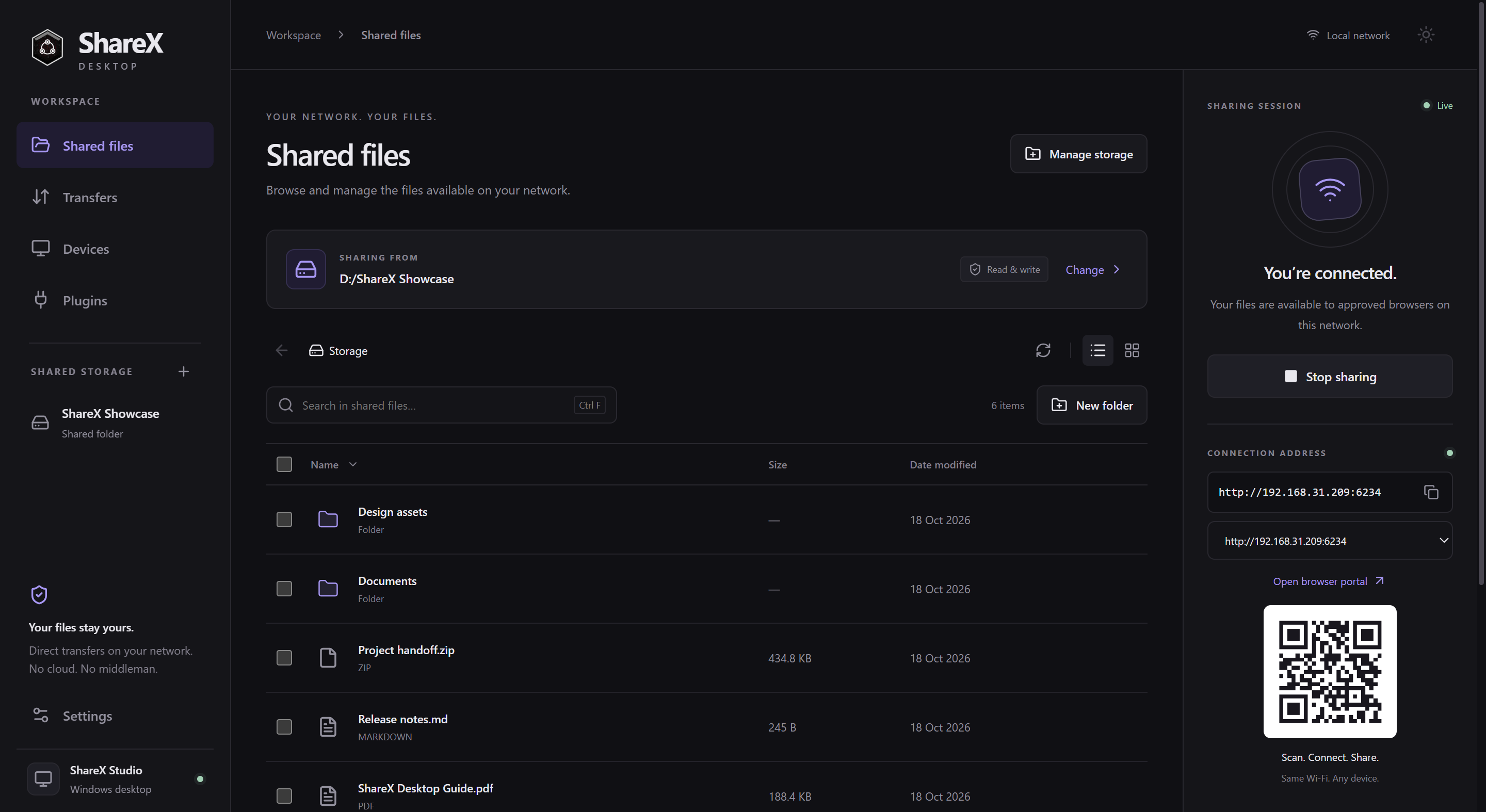
One desktop app. Any nearby browser.
ShareX Desktop brings local sharing to a native Tauri 2 app, pairing a Rust sharing server with a React and TypeScript interface. Choose a folder, a drive, or individual files, then let nearby devices connect through their browsers. It runs independently of ShareX Android, and file transfers stay on your local network without an internet connection.
- Share folders, drives, or selected files from a desktop workspace
- Connect receiving devices through a browser or QR code, without a companion app
- Approve browsers, remember trusted devices, and configure passwords and session expiry
- Read-only access by default, with optional uploads and file management
- Browse, search, preview, and track transfer history, progress, and speeds
- Install portal plugins from the Store or ZIP files, with separate plugin approvals
- Native tray controls, keyboard search, and configurable portal themes
Windows 10/11 x64 is the primary tested desktop platform. macOS and Linux packages are experimental and have not yet been validated on native hardware.
Get ShareX Desktop
Visit the ShareX website for a product tour and platform information, or choose an installer from the latest GitHub release. Android and Desktop are separate hosts: install either one on the sharing device, then connect from a browser on the same Wi-Fi network or hotspot.
Open from interface to server
The desktop interface, Rust server, and adapted browser portal are open source under AGPL-3.0-or-later. The project includes native packaging and a plugin system with messaging and storage, extending the original Android sharing workflow to desktop computers.